

Why do work calls drop even when wifi looks strong?
The signal indicator describes the radio connection, not the entire path to your meeting. Wireless interference, a busy channel, a weak mesh backhaul or a device changing access points can interrupt a call. A closed office door or a laptop moved behind a monitor can also change the radio path.
Start with a temporary Ethernet connection near the router if you can do so without creating a trip hazard. Compare the same work activity. If it still drops, the provider connection, router or meeting service needs attention. Permanent home office Ethernet cabling addresses the desk's wireless path, but it cannot fix an outage upstream.
What does one Ethernet drop to the desk include?
A drop is a cable run to a particular outlet location. For a home office, the fixed cable commonly runs from the network area to a jack in the office wall. A short patch cord connects that jack to your computer, docking station or local switch. The other end connects to the network switch or router through the planned termination.
Place the wall jack where you can reach it after the desk is installed. Check which side of the desk holds the computer and whether furniture will pinch the cord. A laptop without an Ethernet port needs a compatible adapter or dock. Check the adapter's supported speed along with the router and switch ports.
What are a wall plate and a keystone jack?
The wall plate is the visible cover that holds the outlet in the wall. The keystone jack is the small connector module that snaps into a compatible plate. The fixed cable terminates on the back of that jack, and the patch cord plugs into the front. This gives you a replaceable cord at the desk.
Use a jack suited to the installed cable category and conductor type. The installer should follow the jack's wiring instructions and maintain the wire pairs correctly. A neat faceplate does not prove that the hidden termination is sound. Include the jack, cable and connection at the network end in the testing plan.
Can you run cable without tearing up the walls?
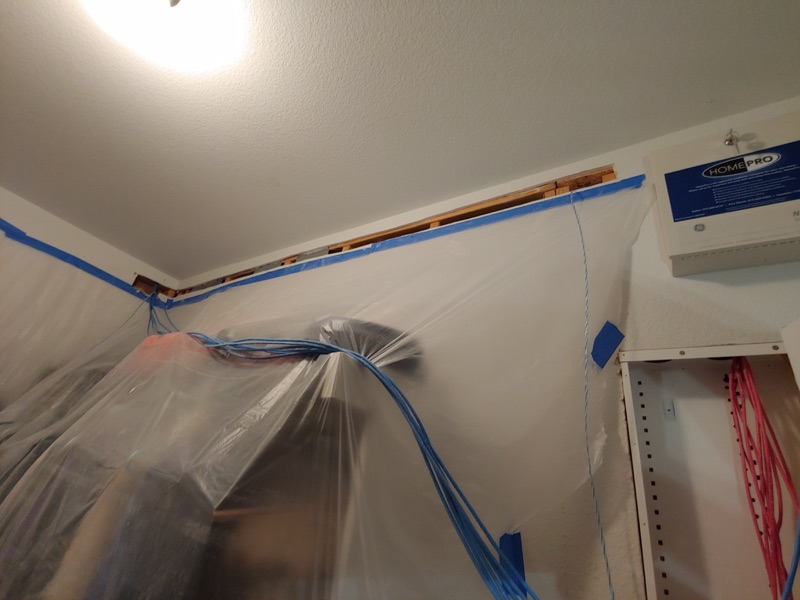
Sometimes an attic route and a fishable wall cavity allow a cable to reach the office through limited openings. Other homes have blocking, insulation, difficult exterior walls or a second floor that complicates the route. Existing conduit may help if it is suitable and has capacity. The installer needs to inspect the actual path.
Surface raceway can provide an accessible route where hidden wiring would require too much disruption. Compare its appearance with the wall openings a concealed route requires. Ask where access holes are likely and who handles patching, texture and paint. Confirm that scope before work starts rather than assuming a finished wall means no access work.
How should a new office Ethernet run be tested?
Check the wire map for correct conductor connections and faults. Then confirm that the finished connection supports the intended network application. Fluke Networks distinguishes verification, qualification and certification. A basic continuity tester does not establish that the complete link meets a particular cable category's performance requirements.
Agree on the test level before installation and ask for results tied to the drop label. At the desk, check the negotiated Ethernet link speed and use the actual dock or adapter you plan to keep. Make a normal work call and transfer a file if that is part of your work. An internet speed test alone cannot isolate every fault inside the house.
Do two desk devices need two cables through the house?
A small unmanaged switch can connect several desk devices through one wall drop. Connect the wall jack to one switch port, then connect the computer and other Ethernet devices to the remaining ports. The switch needs power, and all those devices share the upstream link. Count that uplink port when deciding how many ports you need.
Separate home runs can still be useful when you want independent connections or expect heavy local traffic. Avoid a passive cable splitter as a substitute for a network switch. Choose the simpler layout that serves the desk's devices and gives you accessible ports. Leave room to unplug a device without pulling the wall plate loose.
Can the same setup power a desk camera?
A compatible network camera can receive power and data over Ethernet through a matching PoE switch or injector. Check the camera's PoE standard and power needs against the source. Ubiquiti's PoE guidance explains why compatibility matters. An ordinary switch does not supply PoE merely because it has Ethernet ports.
A USB webcam is different and normally connects to the computer or dock over USB. Do not assume it can use the Ethernet drop. List the actual camera model when planning desk ports and power. Label the wall jack and save the test record where you keep the home network information.
What else do homeowners ask about a wired home office?
Can one wall jack serve a computer and a printer?
Yes. A suitable network switch at the desk can connect both devices to one wall jack. The switch needs power, and the devices share the upstream connection. Count the wall uplink when choosing the switch's port count.
Do laptops need a special adapter for Ethernet?
A laptop without a built-in Ethernet port needs a compatible Ethernet adapter or dock. Check that it works with the laptop and supports the intended connection speed. Test the finished wall run with the adapter you plan to use.
Can an installer promise no wall openings?
The route needs inspection before anyone can establish the required access. Attic access and open wall cavities can help, while blocking or difficult floor plans can require openings. Discuss concealed routing, surface raceway and finish work before installation.
Will Ethernet stop every dropped work call?
No. Ethernet removes the local wireless link from the computer's path. Provider outages, router problems and meeting service issues can still interrupt a call. Compare a wired connection near the router when troubleshooting before choosing the permanent office route.
Send the desk location, device list and photos of the current network equipment. Text or call Unified Low Voltage Solutions at 817-349-1373, or request a home office cabling quote through the contact page.